
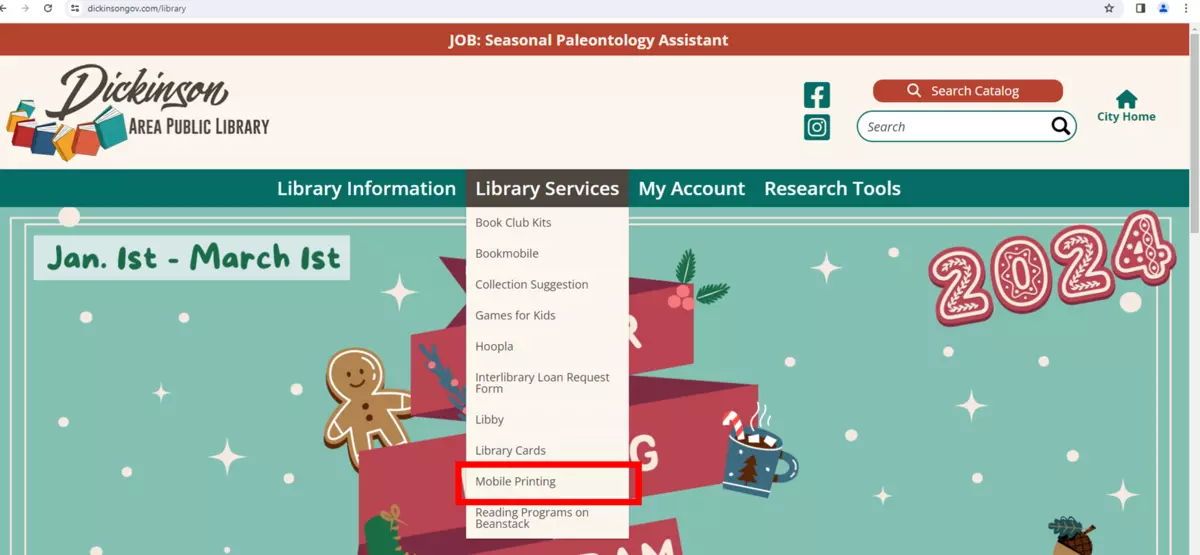
Under Library Services, click on Mobile Printing.
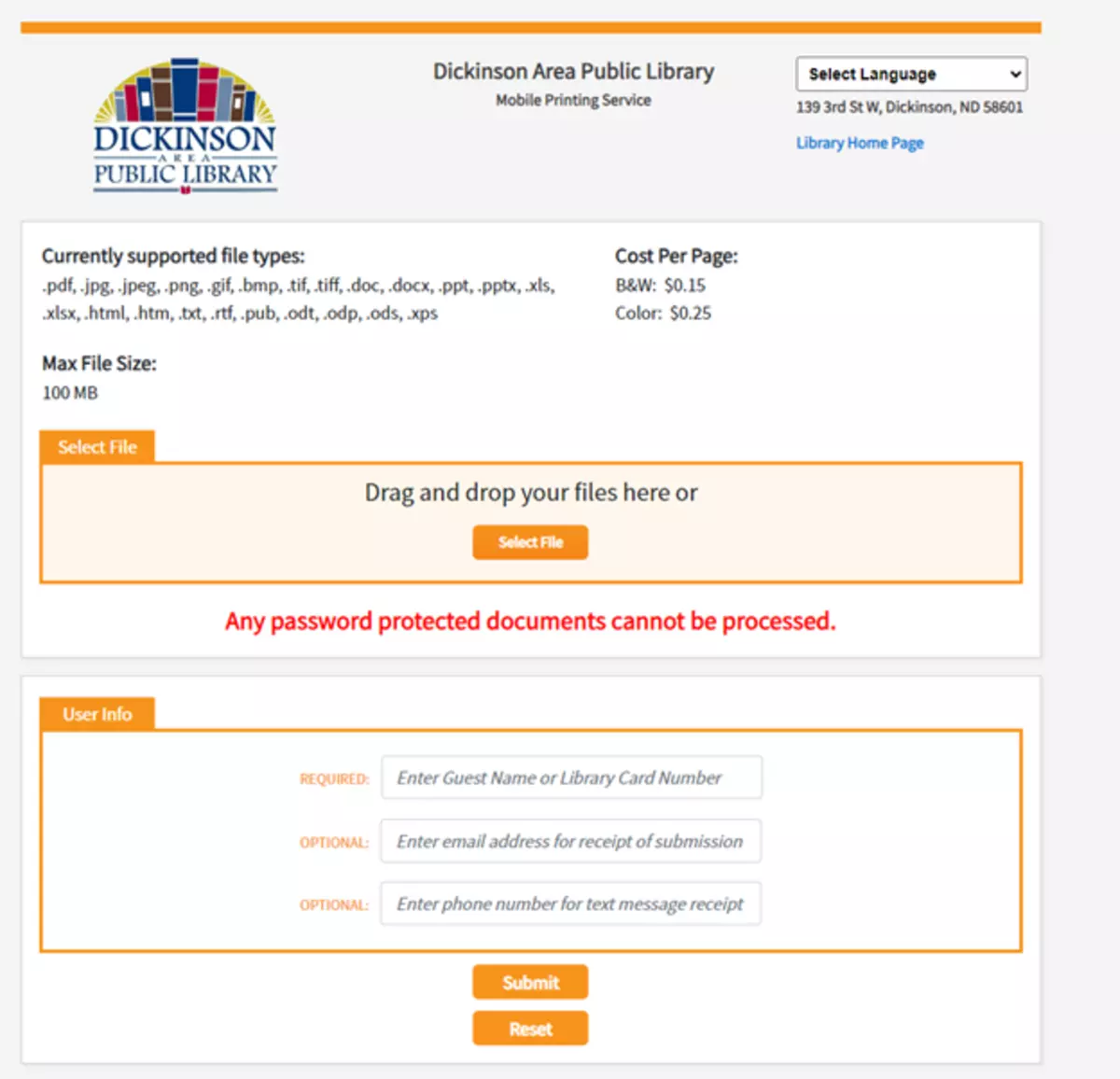
You will be redirected to this page where you can print your files.
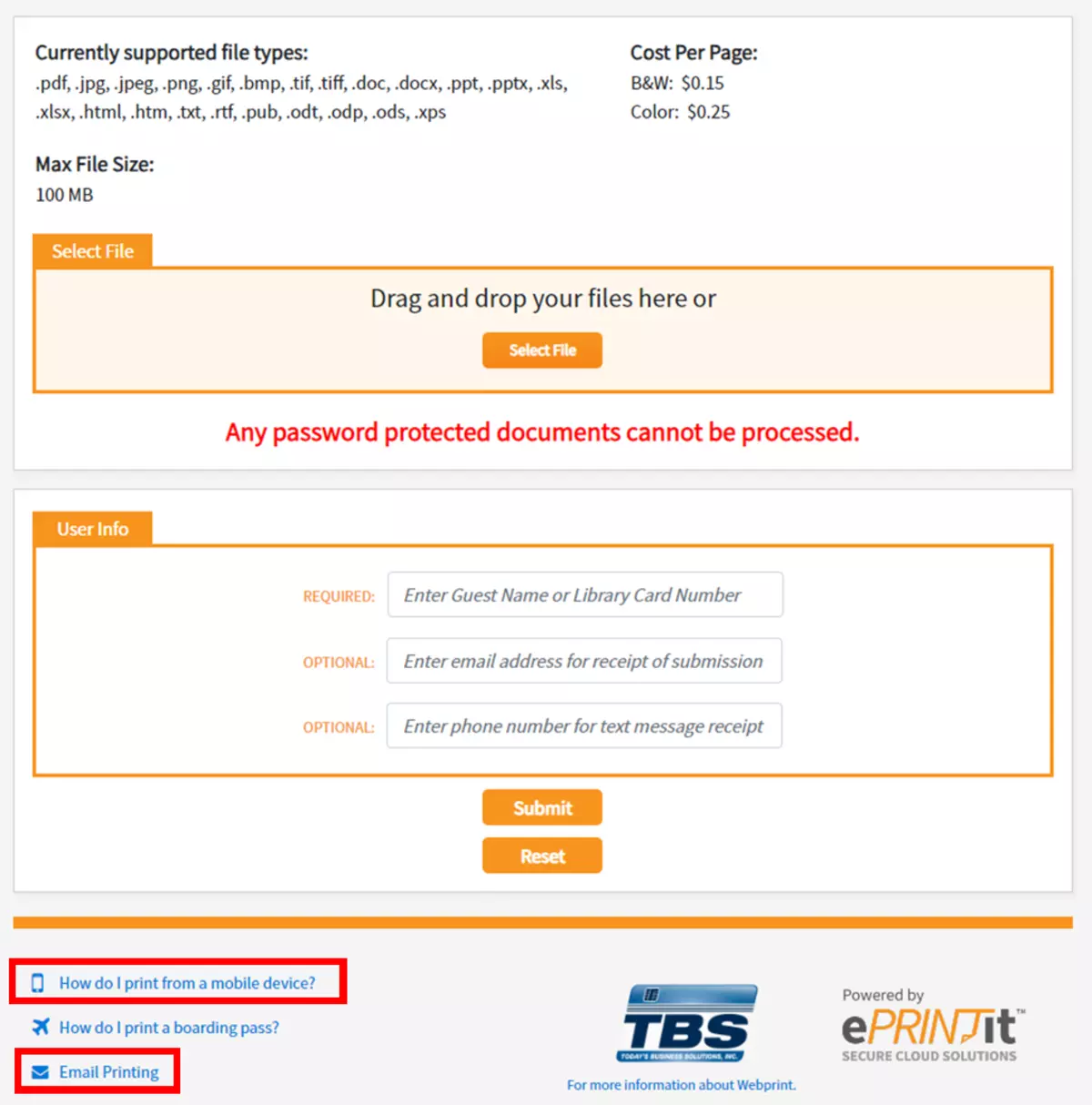
You can print your files in three ways.
- Directly from this page
- By clicking Email Printing
- By downloading the ePRINTit app on your mobile device
All print jobs will stay in the queue for 72 hours.